![SPRII-udenR_logo-orange+dark.png]](https://help.sprii.io/hs-fs/hubfs/SPRII-udenR_logo-orange+dark.png?height=40&name=SPRII-udenR_logo-orange+dark.png)
When Facebook or Instagram does not share a shopper's name with Sprii, the reservation shows Person protected by privacy settings instead:
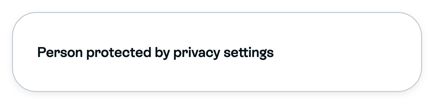
The shopper's own privacy or message settings are a likely reason, but the label cannot tell you which setting. The missing name does not stop Sprii from trying to send the shopper their messages. Meta decides whether those messages arrive.
Reservations from your website use a different label, Anonymous. This guide does not cover them.
Fix it
- Open Orders
 in Sprii's main menu, filter to the campaign and check how many reservations show the label. If many shoppers have it, or many say they got no reply, the problem is probably your Page's messaging rather than one shopper. Follow Troubleshoot Facebook messages or Troubleshoot Instagram direct messages instead.
 - For a single shopper, open their order and look for Copy cart link at the bottom of the order details. It is not available on every order.

- If you see Copy cart link and already have another way to reach the shopper, click it and send them the copied link that way.
Need help? Contact Sprii Support