![SPRII-udenR_logo-orange+dark.png]](https://help.sprii.io/hs-fs/hubfs/SPRII-udenR_logo-orange+dark.png?height=40&name=SPRII-udenR_logo-orange+dark.png)
Last updated: February 2026
Applies to: All Sprii users
Category: Speed up your success
Table of contents
How to create a live reminder campaign
Other relevant reads
How to connect external posts to Sprii
How to create a Live reminder campaign
The campaign can be made and published within a minute, and here is how you do it:
Step 1
Start by creating a new campaign, and pick the option 'Social Media Post'
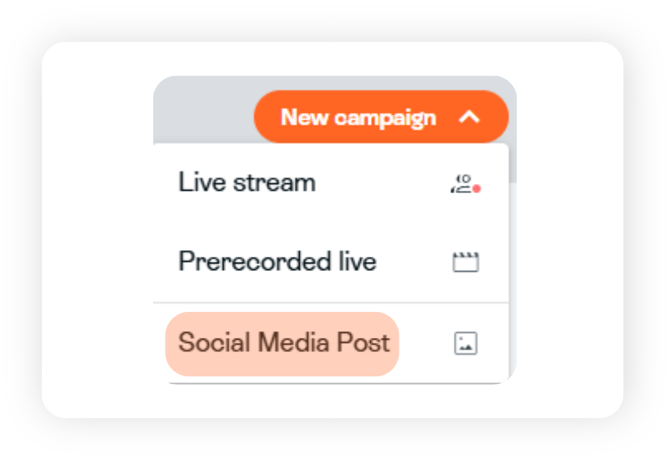
Step 2
Select the campaign purpose. This guide will focus on 'Live reminder post'. Select media type, name your campaign, and then click 'Create'
.png?width=550&height=650&name=Vertical%20template%20(1).png)
Step 3
Fill in your content. Now you should add some nice pictures to post along with a good caption.
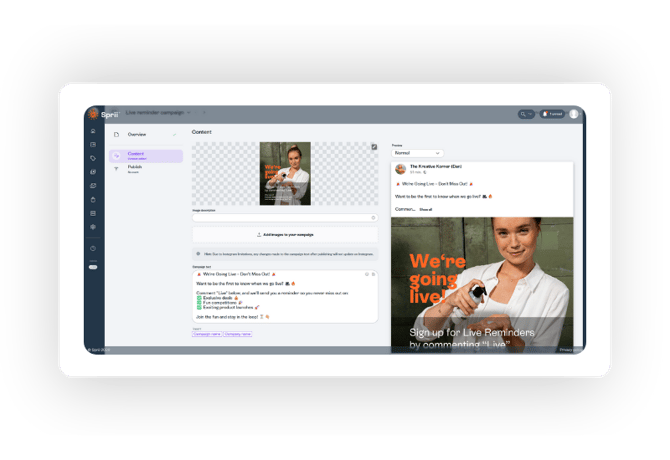
Step 4
Decide what platforms you want to post the campaign to under the 'Publish' tab.
-1.png?width=670&height=261&name=Horizontal%20template%20(1)-1.png)
In the image example above the post will be published to both Facebook and Instagram. Simply tick off the boxes you don't want to publish to.
You can also choose to either post it now, or schedule it for later.
Lastly, in the bottom it says "connect to existing posts", which is in case you made the post directly on Facebook and/or Instagram, and want to connect it to Sprii.
To learn more about that, you can read our article about connecting external posts to Sprii.
Important
It should be noted that a scheduled post may take 20 min from scheduled time to be seen on social media.