![SPRII-udenR_logo-orange+dark.png]](https://help.sprii.io/hs-fs/hubfs/SPRII-udenR_logo-orange+dark.png?height=40&name=SPRII-udenR_logo-orange+dark.png)
YOU WILL LEARN
How to connect an existing post to a Social Media Post campaign or a Live Shopping campaign.
BEFORE YOU START
- An existing Facebook post, or an Instagram post from the Instagram account linked to your Sprii Page. Connect to existing posts appears only when your Page has Facebook connected, and Add Instagram Post also needs the linked Instagram account.
- A Sprii campaign with the products, buy codes, auto-reminders and replies you want the post to use
The post uses the campaign's current setup whenever a new comment arrives. It does not keep its own copy of the campaign's rules.
Open the campaign
Where you connect the post depends on the campaign type:
- Social Media Post campaign: In Sprii, open the Social Media Post campaign you want the post to use and go to Publish

- Live Shopping campaign: In Sprii, open the Live Shopping campaign you want the post to use and go to Channels

Connect the post
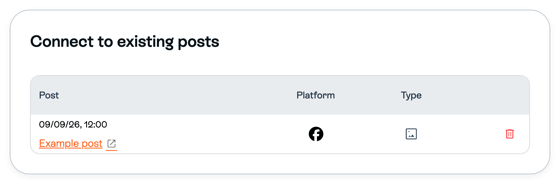
- Under Connect to existing posts, click Add Facebook Post or Add Instagram Post. You see the buttons that are available for your campaign.
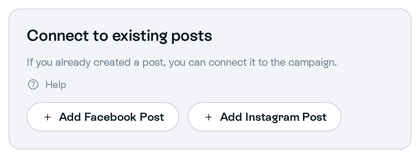
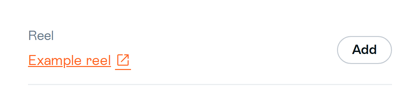
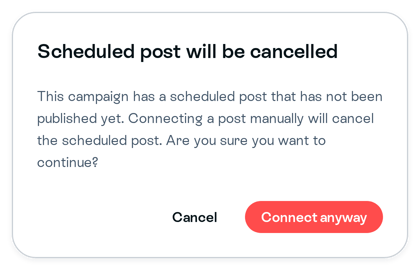
- In the list, find the post and click Add on its row. Sprii connects the post right away. If Sprii first warns Scheduled post will be cancelled, continue only if you want this connection to replace that scheduled post.
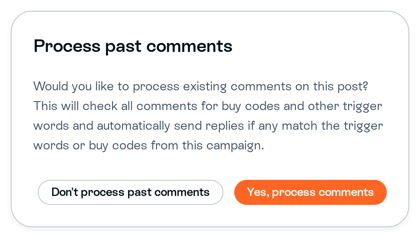
- If Process past comments appears, choose Yes, process comments to handle the comments the post already has, or Don't process past comments to leave them. The post is connected either way. This choice only decides what happens to earlier comments.
Check that the post now appears under Connect to existing posts. Sprii uses this campaign for new comments on the post.
Limitations
- Important: Editing the connected campaign can change how Sprii handles later comments on the post, including products and buy codes.
- Auto-reminder invitation words, groups and subscribers stay with their Page. Connecting a post does not merge auto-reminder lists between Pages.
- Facebook and Instagram control which posts are available. Sprii tries to send the reply set up in the campaign, and Meta decides whether it reaches the viewer.
Need help? Contact Sprii Support